
What Is Claude Prototyping and How Does It Help Product Teams?
How can SaaS and AI teams turn an early product idea into something they can test before investing heavily in development? Claude AI Design and Prototyping helps product teams move from requirements and rough ideas to structured product concepts, user flows, UX copy, interface states, and prototype-ready specifications.
For teams evaluating professional design support, How to Choose the Right UI UX Design Agency for Your Product in October 2026 and How Much Does It Cost to Hire a UI UX Design Agency in October 2026 can help businesses evaluate their design options.
Claude can support product managers, UX designers, founders, and developers by organizing requirements, exploring alternative workflows, preparing prototype content, and identifying usability questions. The goal is not to let AI make every design decision. The strongest approach combines Claude's speed with human product strategy, design expertise, and real user validation.
What Is Claude Prototyping?
Claude Prototyping is an AI-assisted approach to developing and refining product concepts before full development. Instead of moving directly from an idea to production code, teams can use Claude to clarify requirements, map user journeys, define screen states, generate UX copy, and structure prototype specifications.
This approach is particularly useful for SaaS and AI products because they often involve multiple user roles, dashboards, integrations, permissions, data workflows, and complex interactions.
For example, an AI analytics platform may require onboarding, data uploads, an analytics dashboard, AI-generated insights, reports, notifications, and account management. Claude can help organize these requirements into logical user journeys before designers create detailed interfaces.
A prototype created with AI assistance is not automatically a finished product. It is a validation tool that helps teams discover what works, what is confusing, and what needs to change.
Why Are SaaS and AI Teams Using Claude for Prototyping?
SaaS products must often make complex workflows feel simple. AI products introduce additional complexity because users may interact with generated responses, automated actions, recommendations, AI agents, or conversational interfaces.
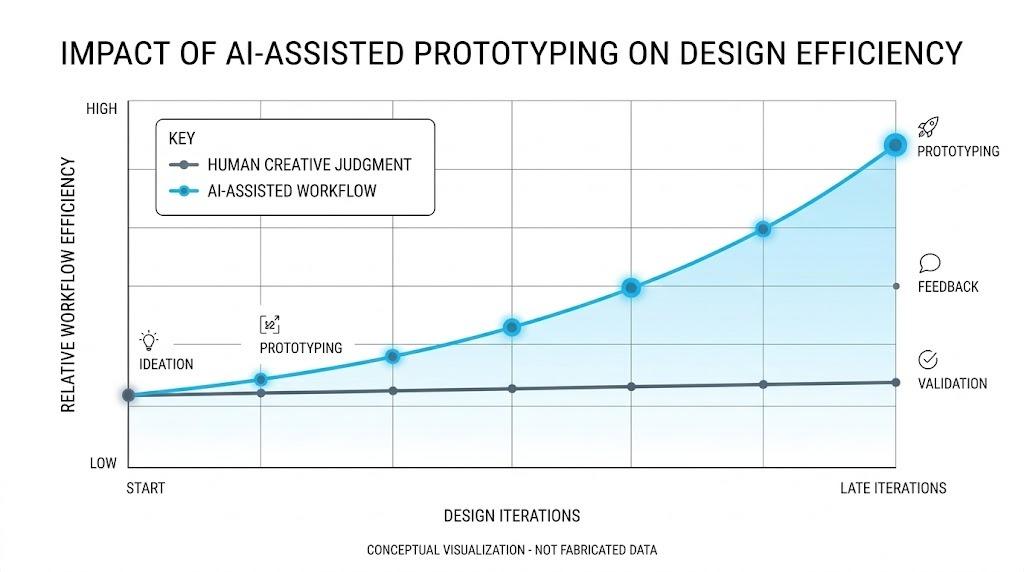
Traditional prototyping can take considerable time when teams need to explore multiple versions of a workflow. Claude can accelerate early concept exploration by helping teams generate alternatives and organize product requirements.
Common applications include:
- Turning product requirements into structured user flows.
- Creating screen-by-screen prototype specifications.
- Generating onboarding, empty-state, error, and success messages.
- Exploring navigation and information architecture.
- Preparing UX research and usability-testing questions.
- Organizing stakeholder and user feedback.
- Documenting product assumptions and design decisions.
This faster exploration allows teams to identify weak concepts before significant engineering resources are committed.
How Does Claude Help Build a SaaS Prototype?
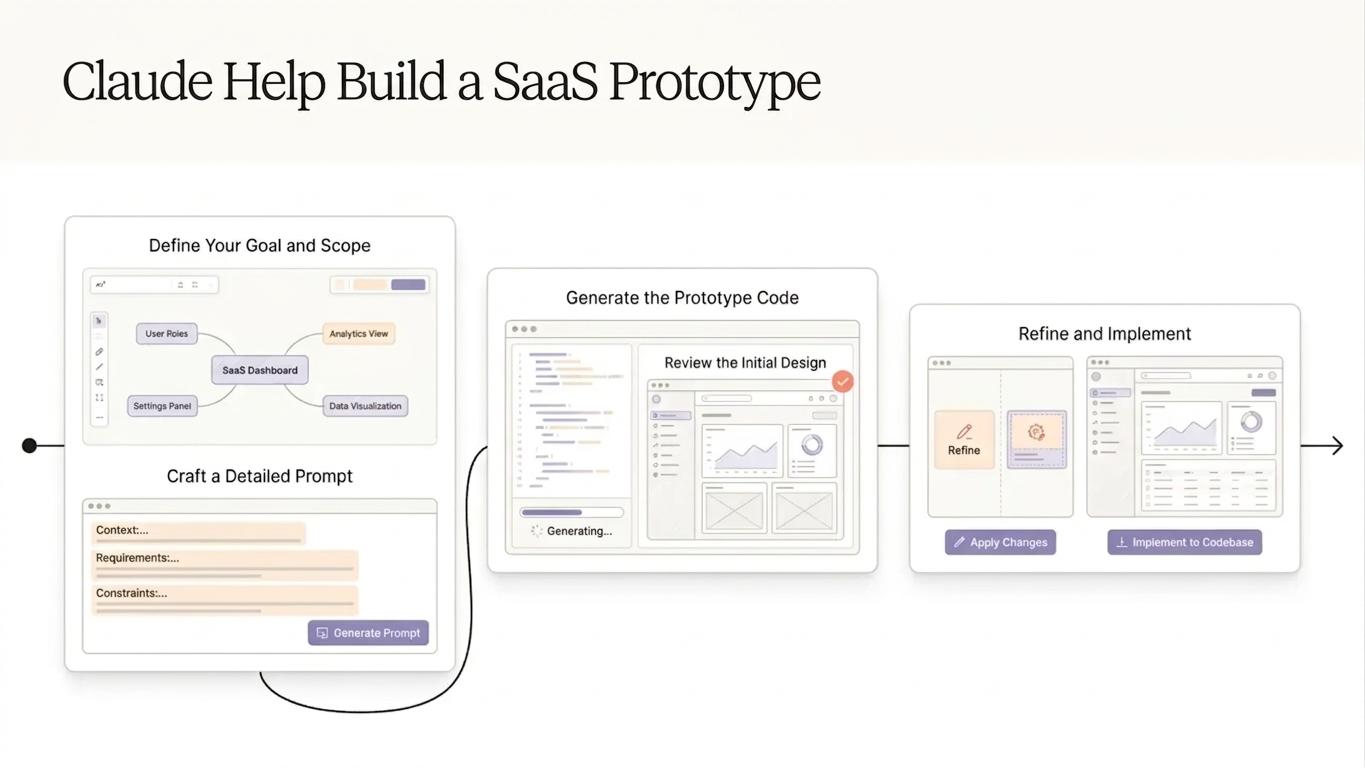
A strong SaaS prototype starts with context. Teams should provide Claude with information about target users, business objectives, core functionality, user roles, platform requirements, technical limitations, and expected outcomes.
Claude can then help translate that information into a structured product experience. Designers can use the resulting requirements to create wireframes, user flows, and interactive prototypes.
Another valuable use is identifying edge cases. Product teams often focus on the ideal user journey and overlook loading states, empty states, validation errors, permission restrictions, failed integrations, and unexpected system responses.
Claude can help teams identify these scenarios during the planning stage, making the prototype more comprehensive and reducing ambiguity between product managers, designers, and developers.
Claude Prototyping for AI Products
AI products require special attention because their behavior may not always be predictable. An AI assistant, recommendation engine, or agent-based application needs interface states that explain what the system is doing and what users should expect.
A strong AI prototype should demonstrate more than the ideal user journey. It should show how users submit information, how the system processes it, how results appear, and what happens when the output is incomplete, uncertain, or incorrect.
For example, an AI customer-support platform may require states for processing, successful response generation, low-confidence answers, escalation to a human agent, conversation history, and user feedback.
Claude Prototyping can help teams explore these scenarios before engineering begins. This gives designers and developers a clearer understanding of the expected product behavior.
Can Claude Replace a UX Designer?
No. Claude can accelerate ideation and documentation, but human designers remain essential for understanding users, visual hierarchy, interaction patterns, accessibility, branding, and emotional experience.
Claude might generate several onboarding concepts, but a product designer must determine which one actually suits the target audience. Product managers must assess whether the workflow supports business objectives, while real users must validate the experience.
The most effective model is therefore human-led, AI-assisted prototyping. Claude expands the range of possibilities, while product and design teams decide which ideas deserve further testing.
Claude Prototyping vs. Traditional Prototyping
AI-assisted prototyping does not eliminate established UX methods. Instead, it can make early exploration faster and more structured.
| Design Area | Traditional Prototyping | Claude-Assisted Prototyping |
| Requirements | Manually organized | AI-assisted structuring |
| Ideation | Team brainstorming | Human ideas plus AI alternatives |
| User flows | Created by designers | AI can suggest and organize flows |
| UX copy | Manually drafted | AI-generated starting variations |
| Edge cases | Often discovered later | Can be explored earlier |
| Documentation | Manual | Faster initial documentation |
| Iteration | Dependent on team time | Faster concept exploration |
| Final validation | Human-led | Human-led |
The final prototype should still be reviewed by product designers, product managers, developers, and representative users.
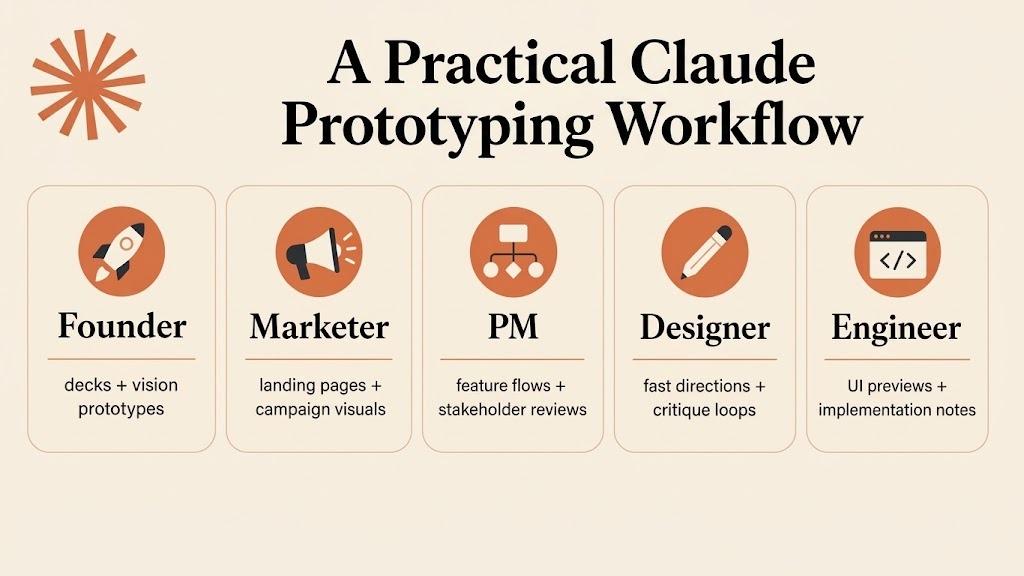
A Practical Claude Prototyping Workflow
The best results come from treating Claude as part of a repeatable product design process rather than a one-time idea generator.
1. Define the Product Problem
Start with the user, problem, business objective, and desired outcome. Avoid beginning with screens before understanding why the product should exist.
2. Provide Structured Product Context
Give Claude information about personas, user roles, features, technical constraints, integrations, business rules, and platform requirements.
3. Generate User Journeys
Ask Claude to map primary and secondary user journeys and identify potential friction points.
4. Define Prototype States
Include successful, loading, empty, error, permission, and alternative states. AI products should also include uncertainty, retry, and feedback scenarios.
5. Build Wireframes
Translate the approved flow into low-fidelity wireframes before investing in high-fidelity visual design.
6. Create an Interactive Prototype
Turn the most important workflows into clickable interactions that demonstrate how the product is expected to work.
7. Test and Iterate
Run usability sessions and stakeholder reviews. Organize the findings and use them to refine the prototype before development.
How Can a UI UX Design Agency Use Claude Prototyping?
A UI UX Design Agency can integrate Claude into product discovery, UX research synthesis, user-flow mapping, wireframe planning, UX writing, design documentation, and usability preparation.
For SaaS clients, this can help agencies explore complex workflows before committing to high-fidelity screens. For AI products, agencies can map conversational states, AI responses, fallback paths, uncertainty, and human handoffs.
The agency should still own the product design strategy and quality standards. Claude can accelerate the process, but experienced designers must validate information architecture, visual hierarchy, accessibility, usability, and brand consistency.
What Are the Benefits of Claude Prototyping?
The main benefit is not simply speed. It is the ability to learn earlier, when changing a product concept is much easier than changing a developed system.
Claude-assisted prototyping can provide several advantages:
- Faster exploration of product concepts.
- More structured requirements and user journeys.
- Earlier discovery of edge cases.
- Faster UX writing and prototype documentation.
- Better collaboration between product, design, and development teams.
- More opportunities to compare alternative solutions.
When teams can test more concepts earlier, they have a better opportunity to identify usability problems before development costs increase.
What Are the Limitations?
AI-generated prototype ideas can be generic or based on incorrect assumptions. Claude may misunderstand specialized user behavior, business rules, or technical limitations if the provided context is incomplete.
Privacy and security should also be considered when working with customer research, proprietary product information, or sensitive business data. Organizations should establish clear guidelines for information used in AI workflows.
Most importantly, an AI-generated prototype does not prove that a product will succeed. User research, usability testing, technical feasibility, and product validation remain essential.
Frequently Asked Questions
Can Claude create a product prototype?
Claude can help create the structure and content required for a prototype, including requirements, user flows, screen specifications, UX copy, and interaction scenarios. Designers can then use these outputs to create an interactive prototype.
Is Claude useful for SaaS product design?
Yes. Claude can help organize complex SaaS workflows, user roles, feature requirements, edge cases, and UX content, making it useful during early product design and prototyping.
Can Claude prototype AI products?
Claude can help teams model AI-specific interactions such as prompts, responses, processing states, uncertainty, retries, feedback, and human handoffs. Human designers should validate the resulting experience.
Does Claude replace UX designers?
No. Claude can support research, ideation, documentation, and workflow planning, but designers remain responsible for user-centered decisions, visual design, accessibility, usability, and final validation.
Why should teams prototype before development?
Prototyping helps teams test assumptions and identify usability problems before significant engineering resources are invested. It provides a lower-cost way to explore product concepts and align stakeholders.
Conclusion
Claude Prototyping gives SaaS and AI teams a practical way to transform early product ideas into structured, testable concepts. By supporting requirements analysis, user-flow planning, UX writing, edge-case discovery, and prototype documentation, Claude can reduce repetitive work and help teams explore more possibilities before development.
However, smarter prototyping does not mean fully automated design. The strongest results come from combining Claude with human product strategy, UX expertise, visual design, technical understanding, and real user feedback.
For businesses developing complex digital products, an experienced UI UX Design Agency can combine AI-assisted workflows with proven product design methods to create intuitive, scalable, and user-centered experiences.
The future of product prototyping is not human versus AI. It is human creativity and judgment amplified by AI-assisted workflows.

 English
 French
 Deutsch
 Turkish
 Italiano
 Russian